
Accessibility Widget vs Accessibility Audit:
What Does Your Website Need?
A practical decision guide for government and enterprise teams
Audits and Testing
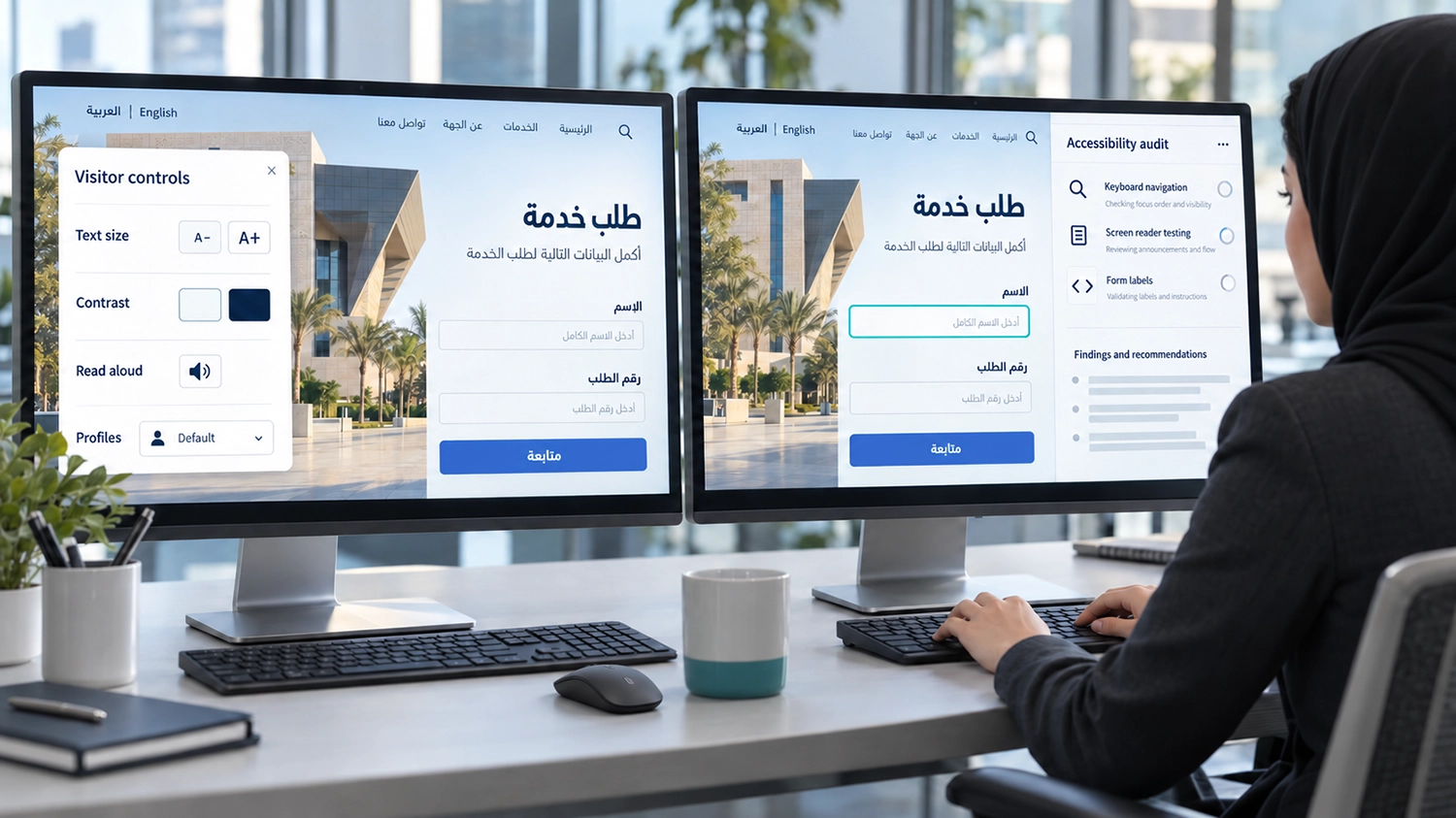
The accessibility widget vs accessibility audit decision starts with the problem your organisation needs to solve. Visitor controls can help people adjust their browsing experience. A professional website accessibility audit examines barriers in the underlying service and provides evidence to guide remediation. Many organisations have reasons to use both, but their roles and deliverables should be clear.
For government entities and enterprises, the key question is whether people can obtain information and complete important tasks. A visible accessibility button can be useful, yet it does not explain whether an application form, payment journey or Arabic interface has been properly evaluated. This guide helps teams choose a suitable scope before buying a product or commissioning testing.
What an Accessibility Widget Does
An accessibility widget typically provides visitor-facing controls for changes such as text presentation, contrast or reading support. Available features vary by product, plan and implementation. Some products also advertise automated adjustments to page code or other services, which should be assessed separately from the settings menu.
For example, VisiWidget offers Arabic and English controls, accessibility profiles that apply a predefined set of settings, text and contrast adjustments, and read-aloud options at normal, slow or fast pace. These choices can make browsing more comfortable for visitors with different preferences.
The value of a widget should be assessed on the actual website. Check whether its controls are understandable, whether changes preserve information and whether the menu itself works with keyboard navigation and assistive technology. A useful feature on one page may need additional review on a complex service.
What a Professional Accessibility Audit Does
A professional audit evaluates an agreed scope against defined accessibility requirements. For a WCAG audit, the organisation should specify the version, target level, pages, components, language versions and service journeys to be covered.
The work can combine automated accessibility testing with manual review. Typical checks include keyboard operation, screen reader interaction, forms, content structure, contrast and zoom or reflow. The evaluator determines which checks apply and investigates the effect of identified barriers.
Useful deliverables explain where a problem occurs, how it can be reproduced, who it affects and what should change. A report should distinguish tested evidence from areas outside the scope. The W3C WCAG evaluation methodology provides an established framework for planning a conformance evaluation.
An audit identifies and documents issues. It does not automatically repair them. Implementation, responsibility for fixes and verification after remediation should be agreed alongside the assessment.
Accessibility Widget vs Accessibility Audit in Practice
Consider a visitor who finds the text on a service page difficult to read. A widget’s text adjustment may help that visitor use the page more comfortably. This is a relevant personalisation benefit that can be evaluated directly.
Now consider an appointment form whose date picker cannot be operated using the keyboard. The organisation needs to investigate the control’s behaviour, implement an effective correction and verify the booking journey. The presence of a settings menu does not establish that this task has been completed.
The same applies to an Arabic submission confirmation that is visible but not conveyed appropriately to a screen reader. Testing identifies the circumstances and user impact. Whether a particular product changes that behaviour must be demonstrated on the configured service, rather than inferred from its product category.
Where UserWay and accessiBe Fit
Organisations researching accessibility widgets will often encounter UserWay and accessiBe’s accessWidget, alongside other providers. Their published offerings include widget products, and both companies also advertise expert audit services. A provider should therefore not be assessed solely by the appearance of its widget.
Compare the actual package being proposed. Is it a visitor settings interface, automated remediation, monitoring, a manual accessibility audit or a combination? Establish which functions are included, what is optional and which evidence you will receive.
This article compares categories of work rather than ranking individual suppliers. Features and plans change, and suitability depends on the website and agreed requirements. Ask any provider, including VisiAble, to explain its scope and demonstrate relevant behaviour on your Arabic and English services.
Can a Widget Establish WCAG Conformance
Installation alone is not evidence that every applicable accessibility requirement has been met. Claims should be supported by evaluation of the deployed website, including complete processes and the technologies relied upon.
Some products advertise automated remediation, but those claims still need review against actual content and interaction. No general description can establish that every label is meaningful, every workflow operates correctly or every required alternative is appropriate. W3C guidance on evaluating accessibility explains why knowledgeable human evaluation is necessary.
Likewise, an audit should not be described as a blanket guarantee. Its findings relate to the tested scope, requirements and date. Organisations need remediation, retesting and an approach to keeping new content and updates accessible.
When to Prioritise a Professional Audit
Prioritise an audit when essential services involve applications, authentication, bookings, payments or other tasks that must work reliably. It is also appropriate when users report barriers, a redesign is approaching acceptance or procurement requires documented evidence.
For bilingual websites, verify that the scope includes Arabic and English. The two versions may differ in language identification, instructions, control names and reading order even when they share a visual design. Ask how these differences will be tested.
Commissioning focused testing of a priority service can be a useful starting point when resources are limited. Describe the scope honestly and plan further coverage. Do not present a review of a few pages as an assessment of every service.
When a Widget Can Add Value
A widget can add value when visitors benefit from convenient personalisation options and the organisation wants to make those controls available within the page. Profiles can reduce the number of settings a visitor needs to select individually, while reading support can offer another way to consume text.
Choose settings that work with your content and test the experience with them enabled. Review interaction with existing browser preferences and assistive technology. Visitors should not need to activate a special profile simply to reach essential information or operate a service.
For public-sector deployment, include security and privacy review alongside accessibility testing. Confirm the external connections, handling of information and operational responsibilities relevant to the proposed configuration. These questions apply to third-party software generally and should be answered with evidence.
How to Choose the Right Scope
To make the accessibility widget vs accessibility audit decision, start by identifying priority tasks and any known barriers. Then decide what evidence is needed for launch, procurement or ongoing improvement. Separate the cost of personalisation software from the cost of evaluation, implementation and retesting, even when they are offered together.
Ask the provider to define the requirements and language coverage, identify the tested environments, show a sample report and explain who will implement corrections. Clarify whether third-party components and authenticated services are included. Confirm how changed content or product updates will be reviewed.
A sensible programme may combine an accessible underlying website, optional visitor controls, periodic testing and a clear remediation process. The balance should follow user needs and service complexity rather than the visibility of an accessibility icon.
Frequently Asked Questions
Do I Need an Audit If My Website Already Has a Widget
If you need to understand barriers or substantiate accessibility claims, evaluate the underlying website. The widget does not remove that need by its presence alone.
Does an Audit Make a Widget Unnecessary
Not necessarily. An audit addresses evaluation, while a widget may provide useful personalisation. Decide whether those additional controls benefit your visitors.
Is an Automated Accessibility Checker a Professional Audit
A checker can support evaluation by identifying certain issues. A professional audit should define its methods, include appropriate manual testing and explain the evidence and limitations.
Should I Compare Only Widget Features When Choosing a Provider
No. Compare the proposed software and services, language coverage, testing scope, deliverables, support and responsibilities for remediation.
Is installing an accessibility widget enough to make a website ADA compliant?
No. Installing an accessibility widget alone does not establish ADA compliance. Personalisation controls may help some visitors, but the underlying website still needs accessibility evaluation, remediation and verification. ADA is a US law, while WCAG provides technical accessibility guidelines. Organisations should assess their applicable legal obligations separately.
How VisiAble Can Help
VisiAble offers VisiWidget for visitor personalisation and professional accessibility audits to evaluate the underlying website. This allows organisations to discuss both needs with a UAE-based partner while keeping the purpose and scope of each clear.
For Arabic and English services, we can help define a testing scope around important journeys and components. Widget features, audit findings and evidence of remediation should each be considered on their own terms when deciding what your website needs.
Contact VisiAble to discuss your website, priority services and whether personalisation, an audit or a combined programme is appropriate.
Further Reading
Read our guide to automated and manual accessibility testing, explore website accessibility for government entities and review our accessibility standards before defining your requirements.