

Screen Reader Testing for Arabic and English Websites:
What Organisations Should Check
Practical guidance for government and enterprise website teams
Audits and Testing
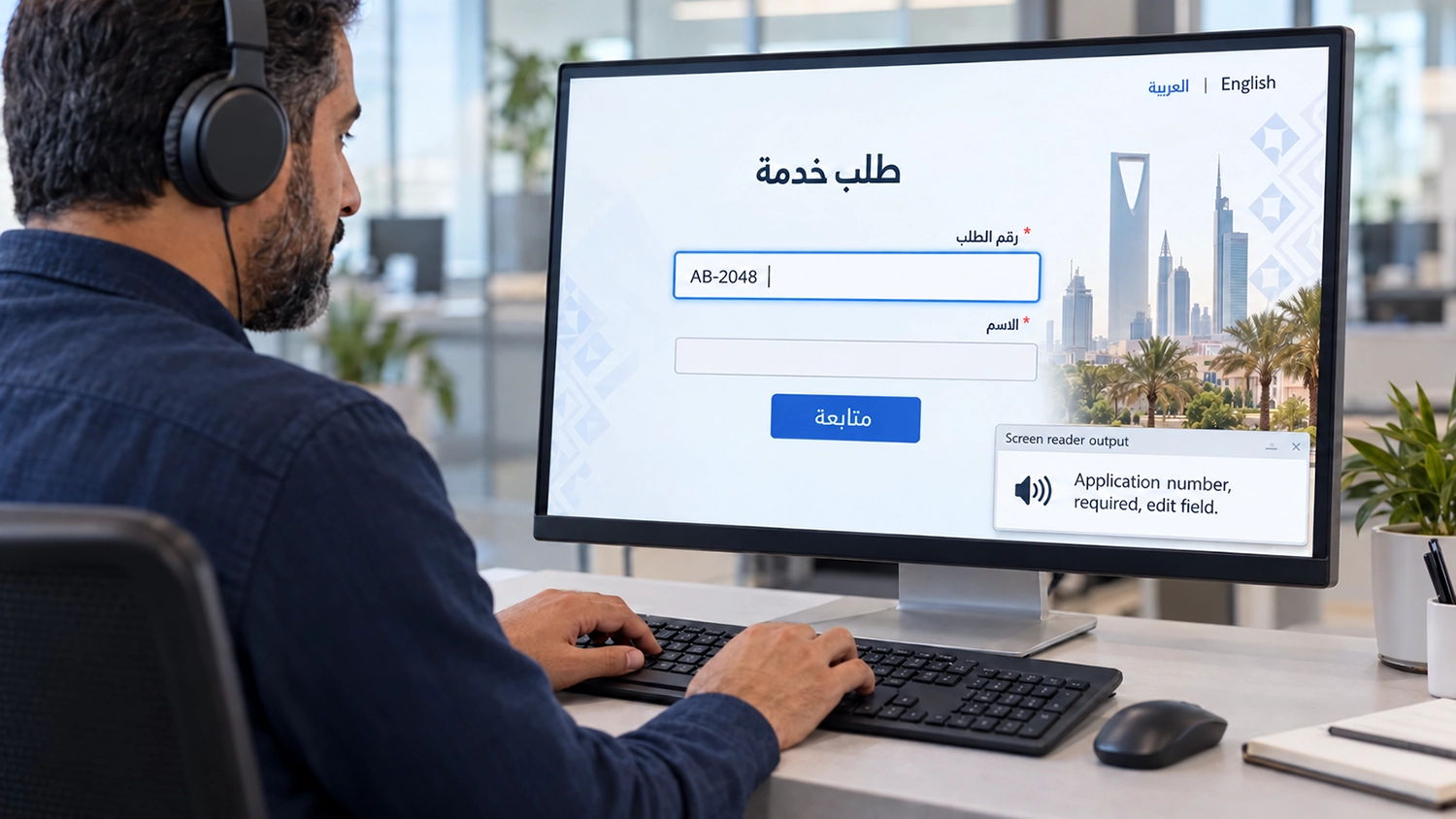
Screen reader testing helps organisations establish whether people using assistive technology can understand a website, operate its controls and complete its services. For Arabic and English websites, that means testing both language versions, including the moments when a page combines languages or switches between them.
A visually polished interface can still contain an unnamed button, an unclear form field or a confirmation that is never announced. These barriers matter when a visitor is applying for a permit, booking an appointment or checking a payment. This guide explains what to check, how to plan realistic tests and what evidence to request from an accessibility audit.
What Screen Reader Testing Examines
Screen reader testing benefits from both expert review and participation by people who regularly use screen readers.It can identify headings, links, fields and the state of interactive elements, allowing visitors to navigate without relying on the visual layout.
Testing should therefore go beyond listening to a paragraph. Can a visitor find the required service, understand a control, enter information and confirm that a task has succeeded? The result depends on the website’s structure and behaviour, as well as the browser, screen reader and configuration used.
Read-aloud functionality serves a useful but different purpose. A button that speaks page text does not, by itself, demonstrate that the website supports a screen reader’s navigation, form interaction or announcements. The distinction matters when reviewing an accessibility widget or commissioning an audit.
Plan Arabic and English Screen Reader Testing Separately
Treat the two language versions as separate experiences. Shared templates do not guarantee identical labels, content order or service behaviour. An English booking form may work correctly while its Arabic version contains untranslated instructions or controls with missing names.
Agree the services, page types and states to test. Include navigation, search, authentication where relevant, forms, document access and final confirmation. Use dummy data and authorised test accounts when a journey involves personal information.
Select browser and screen reader combinations that reflect the intended audience and supported platforms. Record the software versions, speech languages and important settings. There is no single combination that proves universal compatibility; include desktop and mobile coverage where those channels are part of the service.
Examples include NVDA on Windows and VoiceOver on Apple devices. These are examples rather than a prescribed test matrix. Choose the combinations for your audience, and use testers who understand the screen reader’s normal navigation and interaction commands.
Check Page Language and Language Changes
The page’s primary language should be identified programmatically. Arabic text displayed on an English-labelled page may be pronounced using an unsuitable voice or pronunciation rules. Test the actual output, then inspect the implementation when the behaviour is unexpected.
English phrases within an Arabic page, and Arabic passages within an English page, also need appropriate language identification where required. The WCAG guidance on language of parts includes exceptions for proper names, technical terms and certain other words. It does not require a separate language label for every borrowed term.
Language identification and text direction address different questions. A right-to-left layout does not establish the language used by assistive technology. Similarly, correct language markup cannot guarantee a particular pronunciation when the necessary voice or software support is unavailable.
Verify Meaningful Reading Order
Listen to the order in which information is presented. Does the service heading introduce the relevant instructions? Are labels and help text encountered in a useful sequence? Does a sidebar interrupt a sentence or separate a question from its answer?
On Arabic pages, pay particular attention to mixed content such as reference numbers, dates, email addresses and English product names. A value that looks correct may be confusing when read aloud. Test representative examples rather than assuming that mirroring the visual layout solves the problem.
WCAG guidance on meaningful sequence focuses on preserving meaning where order matters. The aim is a coherent experience, not forcing every page to follow an identical visual arrangement.
Review Headings Links and Control Names
Visitors should be able to navigate the page structure and identify destinations without repeatedly reading every paragraph. Check whether headings describe their sections and whether repeated links such as “Read more” have enough context to distinguish them.
An icon-only search button should have an understandable accessible name in the relevant language. Expandable menus should expose their current state, and selected options should be identifiable. The WCAG guidance on name, role and value explains these expectations for interface controls.
Avoid judging the result solely by whether words are spoken. A control might be announced while its purpose or current state remains unclear. Test activation and the outcome as well as the announcement.
Test Forms Errors and Completion Messages
Use a realistic form journey with both valid and invalid entries. Can the visitor identify required fields, understand formatting instructions and find the field that needs correction? Labels, instructions and errors should be understandable in the selected language.
Submit an incomplete application and examine what happens next. A red border alone does not explain the problem to someone who cannot see it. Check whether the error is discoverable, associated with the relevant field and clear about the correction needed.
For updates that occur without a page change, such as search results or a submission status, review whether the information reaches the user appropriately. W3C guidance on form notifications provides useful examples. Announcements should support the task without repeatedly interrupting unrelated reading.
Examine Dialogues and Dynamic Components
Date pickers, menus, tabs and modal dialogues need interaction testing. Can the visitor understand where they are, operate the component and return to the service? Check focus movement when a dialogue opens and closes, including whether the user can escape an unintended interaction.
For a modal dialogue, examine its accessible name, initial focus, keyboard operation and focus return. The WAI guidance on modal dialogues gives an interaction pattern to assess against, with implementation details that depend on the content.
Include components from external suppliers, such as payment interfaces or identity verification. A journey can fail at an embedded step even when the surrounding website works well.
Include Experienced Users and Record Evidence
Expert review and participation by people who use screen readers can reveal different aspects of a service. Experienced users may identify confusing terminology or practical obstacles that a technical checklist does not fully capture. Their feedback complements standards evaluation rather than replacing it.
For each issue, record the affected language, page or service state, test environment, reproduction steps, expected behaviour and actual result. Explain the impact on the visitor and provide a relevant WCAG reference where a failure has been established.
After remediation, retest the affected task and any shared component that changed. A corrected button label is useful, but the service still needs to work from entry to completion. Document remaining limitations instead of describing a limited sample as proof that the entire website conforms.
Frequently Asked Questions
Is a Read Aloud Button the Same as Screen Reader Support
No. Read-aloud controls can help visitors listen to text. Screen reader support also involves structure, navigation, controls, states and task interaction.
Can Automated Testing Replace Screen Reader Testing
Automated checks can identify some technical issues, but they cannot establish whether all announcements are meaningful or whether a complete service is usable. Human testing remains necessary for these questions.
Is Testing the English Version Enough
No. Arabic content, direction, labels and mixed-language behaviour need their own review, even when both versions share templates.
Does Passing Screen Reader Tests Prove WCAG Conformance
No. Screen reader testing is one part of a wider evaluation that also addresses other accessibility requirements and the agreed scope.
How VisiAble Can Help
VisiAble’s professional accessibility audits help organisations evaluate Arabic and English websites through automated checks and manual accessibility testing. Screen reader review can be scoped around priority services, important components and the platforms your audience uses.
VisiWidget offers Arabic and English visitor controls, accessibility profiles, text and contrast adjustments, and read-aloud options at normal, slow or fast pace. These features support personalisation alongside work on the underlying website. Its read-aloud function should not be treated as evidence that screen reader testing has been completed.
Contact VisiAble to discuss your bilingual services, testing scope and the evidence your team needs before launch or acceptance.
Further Reading
Our guide to automated and manual accessibility testing explains how the methods work together. For public-sector services, see website accessibility for government entities. Consult our accessibility standards when defining evaluation requirements.